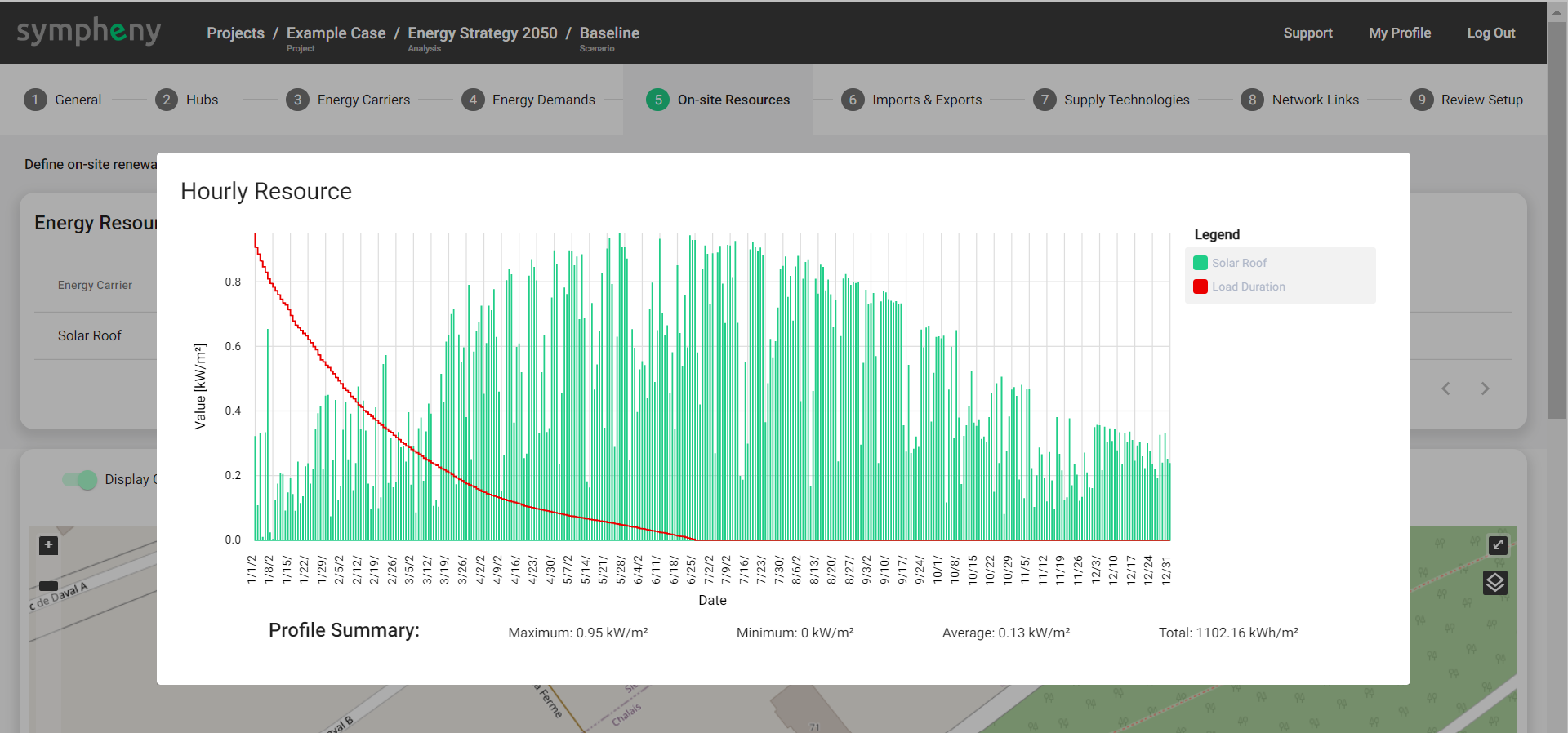
On-site Resources are renewable resources with intermittent (temporally varying) availability. In Sympheny, it is possible to quickly generate solar irradiance profiles and wind profiles, of 8'760 timesteps, using different methods.
On-site resources are functionally identical to Imports, with fewer available parameters. For resources with constant availability, like geothermal energy or air used in a heat-pump, we recommend creating an Import, with a fixed Maximum Capacity (kW) and without Energy Price (CHF/kWh), instead of creating an On-site Resources.
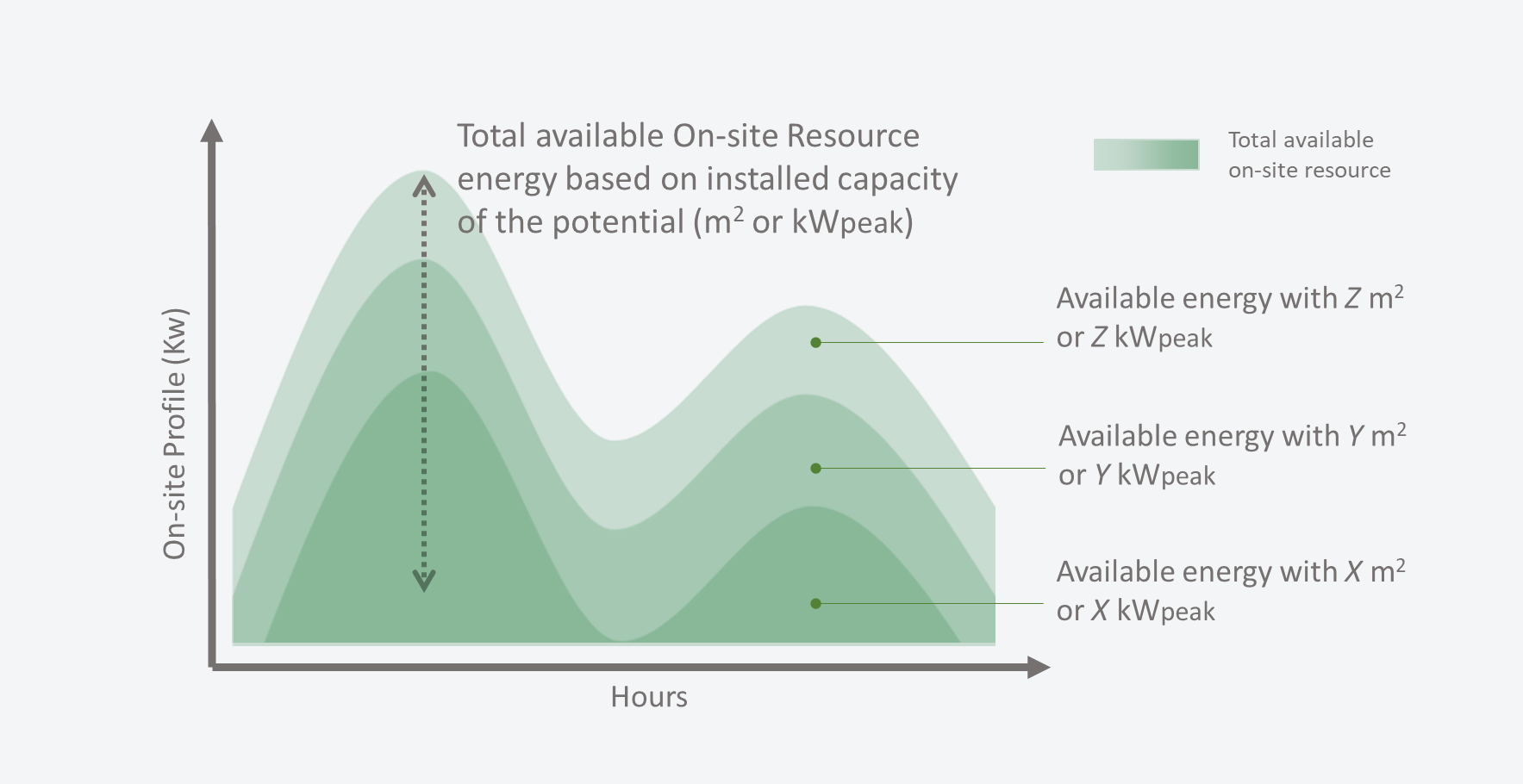
Energy produced from On-site Resources can be curtailed. Curtailment occurs when available On-site Resource leads to higher energy production than required by demand and export (see diagram below) at any given time.

Creating On-site Resources
Sympheny, offers a variety of workflows to create On-site Resources:
-
Add new > Generate profile > Available Resource Area (m2) when generating a solar profile using the Sympheny database, easy to create profiles for multiple hubs
-
Add new > Upload profile > Available Peak Load (kWp) when uploading your own normalized profile, easy to create profiles for multiple hubs
-
Add new > Upload profile > Generic Availability (kWh/h) when uploading your own profile
-
Add from map > Solar Resource > Optimize slope and azimuth to explore the optimal orientation of solar panels relative to demand profile
-
Add from map > Solar Resource > Custom slope and azimuth to accurately estimate the solar profile for a specific location, surface and orientation
-
Add from map > Solar Resource > Weighted sum aggregation to generate an average solar profile from multiple surfaces on the map
-
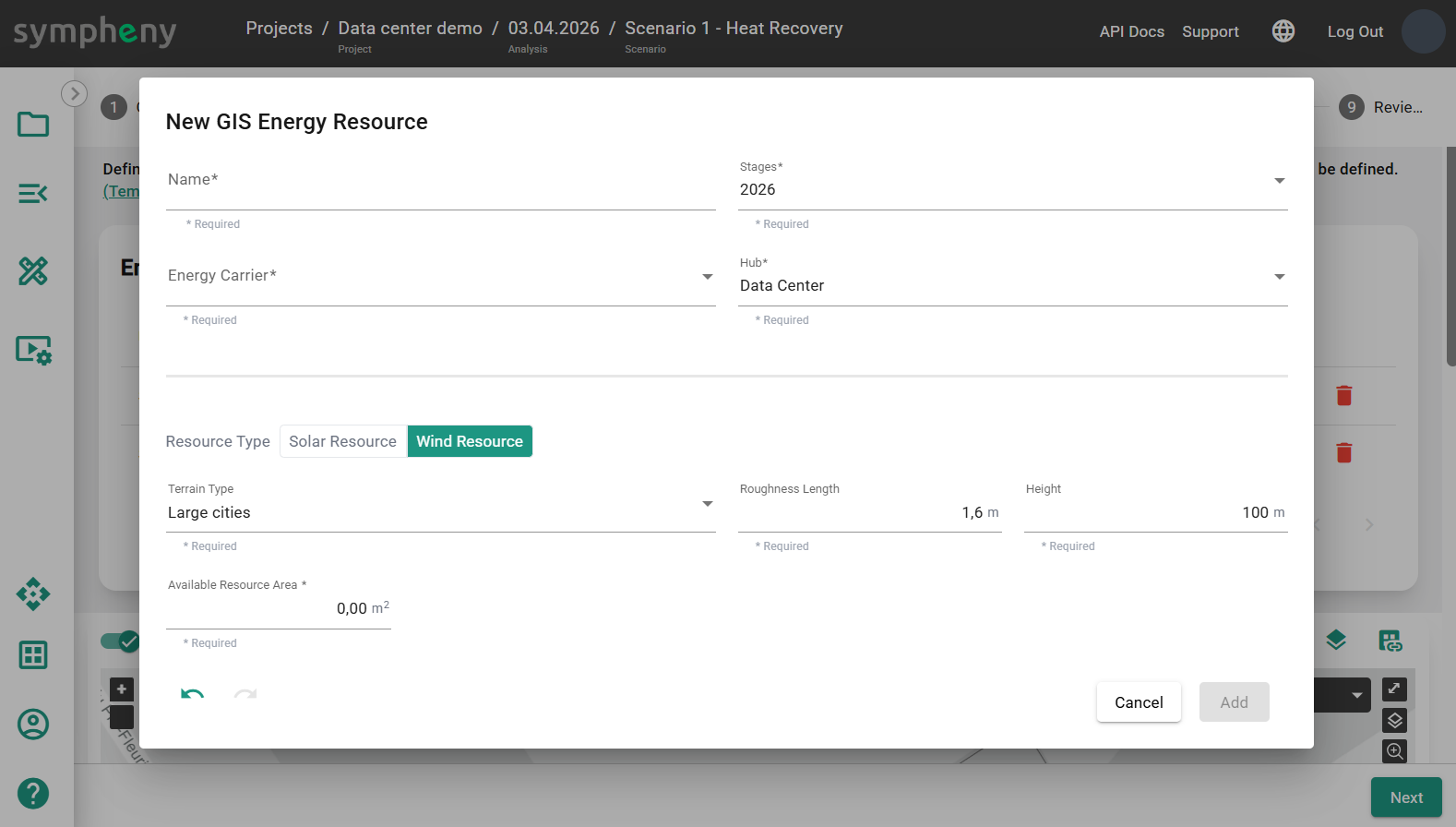
Add from map > Wind Resource to generate a wind power production profile using terrain parameters
Add New
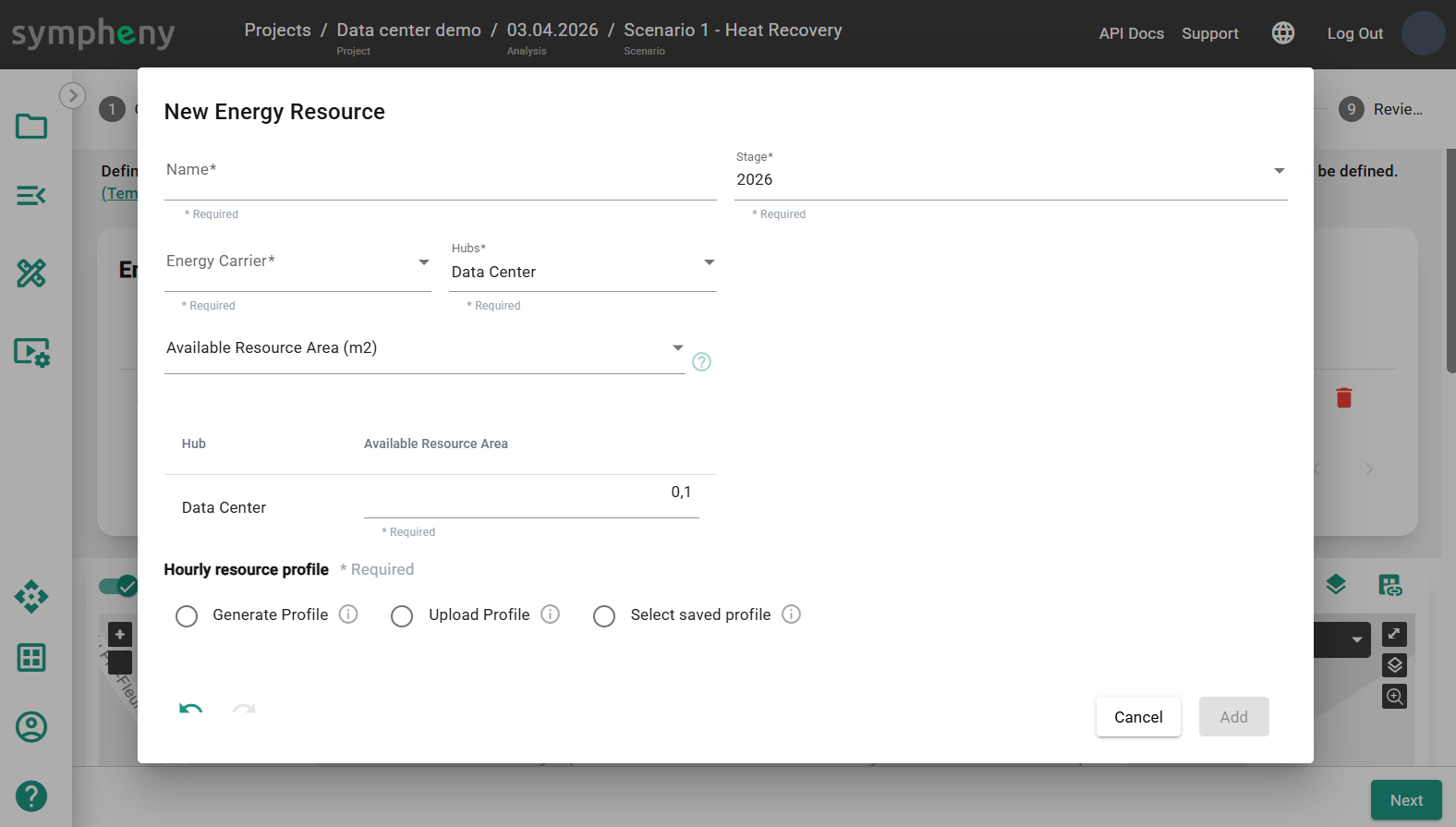
Add a New On-site Resource to your scenario. This resource is free and can be exploited whenever it is available. In the toolbox, select an Energy Carrier corresponding to the resource type. A Name is generated based on the Energy Carrier and already existing profiles and can be edited. The Hub and Stage, where the resource is available are automatically selected and can be edited.
Available Resource Area (m2)
When sizing a new Solar PV field, the only available information may be the Available Resource Area (m2) and location. Simply select Generate Profile, click Generate profile, select the Database, Location, Type and Slope, then Next. Sympheny generates a solar irradiance profile for a 1 m2 surface area.
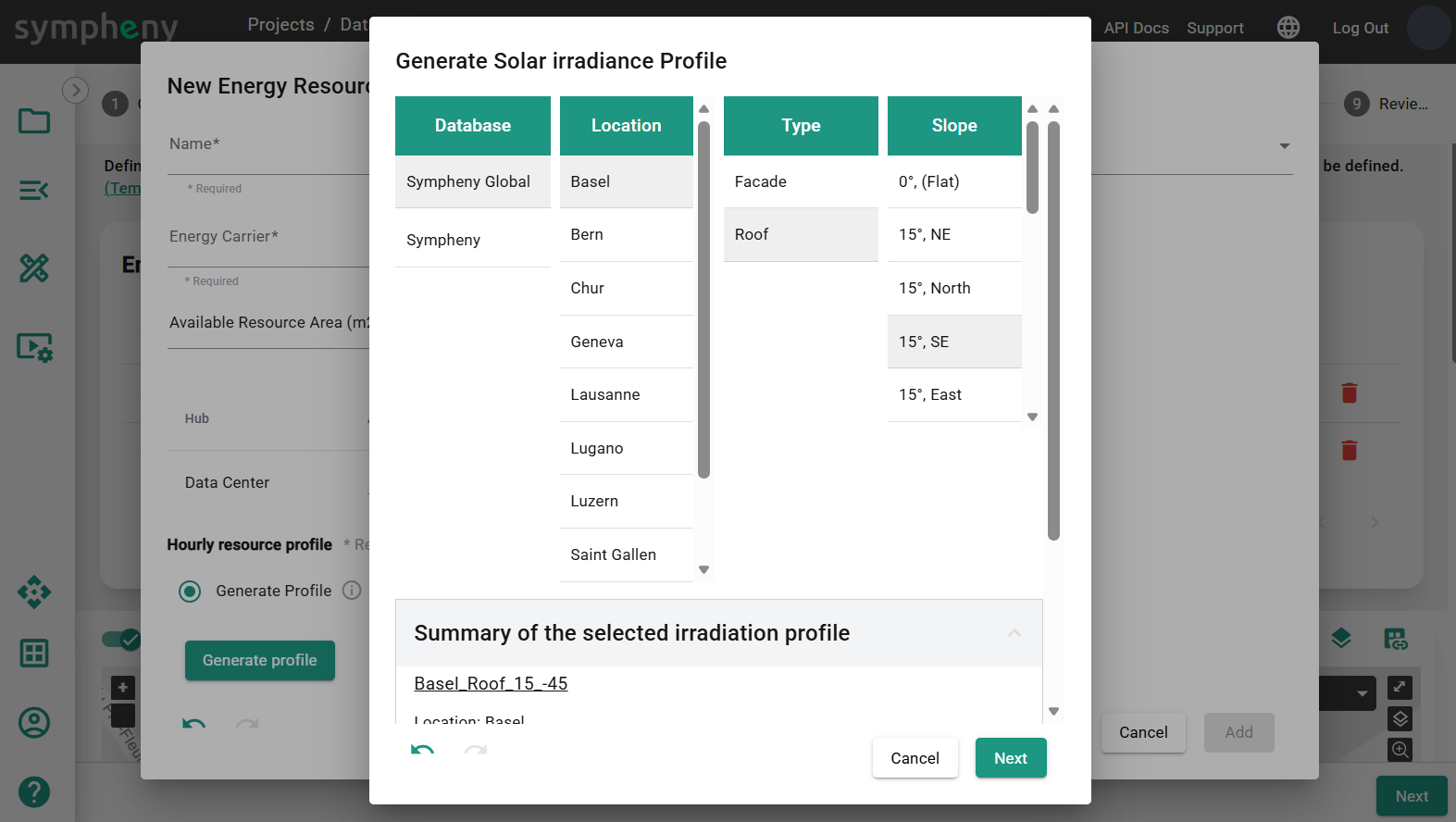
The available Resource Area (m2) is the maximum available irradiance profile. The optimization result will determine the optimal size of solar technology to install. As curtailment may happen, the installed capacity is not always equal to the maximal operational capacity.

Available Peak Load (kWp)
When the hourly profile is measured or simulated using a third-party tool, it can be used in Sympheny with the Upload profile function. In this workflow, the maximum value of the uploaded profile should be equal to 1 kW. The total energy available depends on the Available Peak Load (kWp). The profile can be the output of the technology (e.g., PV production, Wind turbine production, …), provided the efficiency of the technology is 100%. In that case, the kW-peak (kWp) refers to the maximum capacity of the technology that utilize this on-site resource.
Tip: to upload a profile, select or drag and drop an .XLSX file with the correct format. The file should consist of a single sheet with 2 columns, no header, and exactly 8760 rows. The 1st column should contain incrementing numbers ranging from 1 to 8760. The 2nd column should contain the values corresponding to the hourly profile, for every hour of the year from 00:00 on the 1st of January to 23:00 on the 31st of December. Make sure the units are correct. The maximum size of the XLSX file is 2 MB. Uploaded profiles can be saved for later use. (TEMPLATE PROFILE XLSX)
For example, the Hourly Resource Profile of Windpower indicates the availability of Wind-sourced Electricity in kW per unit of peak load [kW/kWp]. In this case, a conversion efficiency is already considered in the hourly resource profile and the conversion efficiency of the Wind Turbine Technology should be 100%.

The use of the On-site Resource is determined by optimal capacity the Technologies that utilize that resource.
Generic Availability (kWh/h)
This workflow is more flexible than the previous two. For example, we can use it to create a intermittent industrial waste heat profile. In this workflow, the uploaded profile should be in kWh for each hour of the year.

Tip: Downloading your irradiation profiles using external databases. Irradiation profiles can be easily generated and downloaded from webpages like PVGIS (https://re.jrc.ec.europa.eu/pvg_tools/en/#MR ), just make sure that the units are coherent with the Sympheny workflow.
Add from map
Add a New On-site Resource to your scenario from the map.
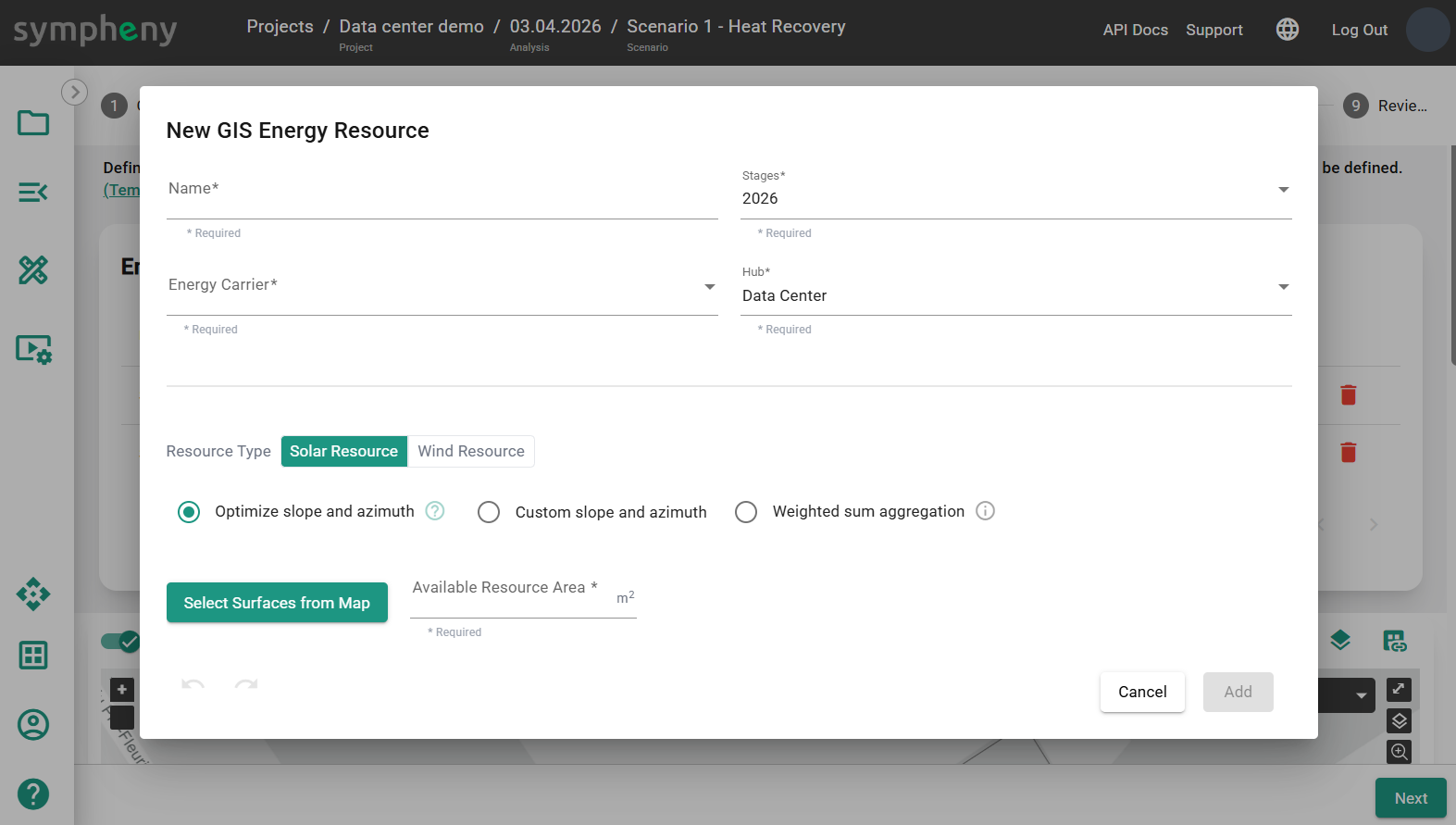
Solar Resource > Optimize slope and azimuth
Click Select Surface from Map to select surface, like the outline of a hub, to get the surface (m2) of the geometry and geographic location. The optimizer will define the optimal Slope and Azimuth.
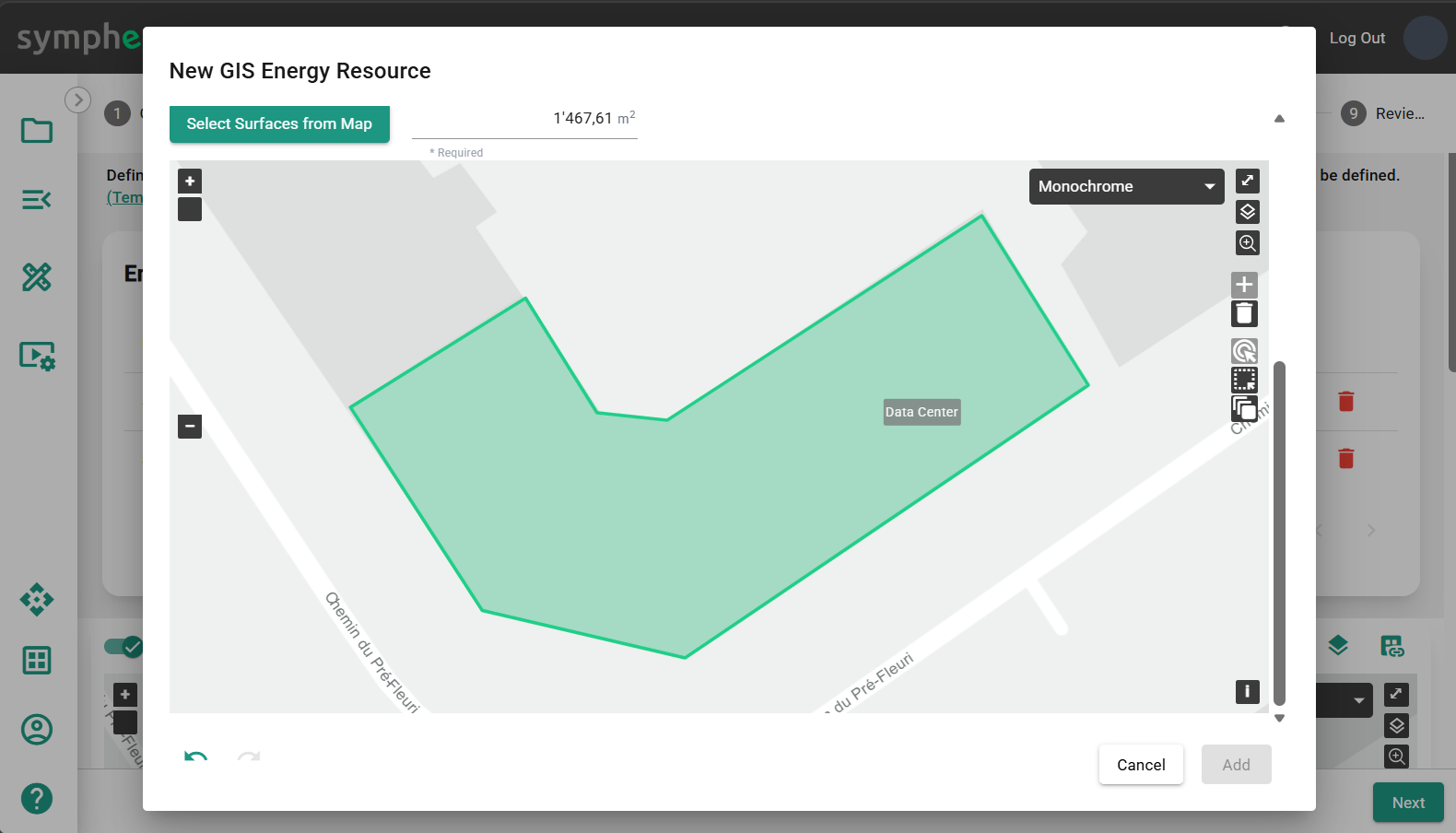
Solar Resource > Custom slope and azimuth
Click Select Surface from Map to select surface, like the outline of a hub, to get the surface (m2) of the geometry and geographic location. Specify the Slope and Azimuth.
Possible settings:
-
Slope 0°: flat
-
Slope 90°: vertical
-
Azimuth 0°: South
-
Azimuth -90°: East
-
Azimuth 90°: West
-
Azimuth 180° / -180°: North
Solar Resource > Weighted sum aggregation
Calculate an aggregated solar profile normalised in kW/m2 for all selected surfaces. The calculation of the profile accounts for the slope and azimuth of each roof element. The profiles generated are aggregated using a weighted average for each surface, with surface areas serving as weights.
Wind Resource
Set Surface (m2), Terrain Type, Roughness Length (m) and Height (m), to generate a wind resource profile based on those parameters.
-
Surface (m2) should be the number of wind turbines * total swept area per turbine
-
Terrain Type
-
Roughness Length (m) is based on the Terrain Type
-
Height (m) is the height of the middle of the turbine
The maximum theoretical efficiency of the wind turbine Technology, using this resource profile in kWh-wind is 59.3%. For more information Wind profile power law - Wikipedia.